Welcome to the Eagle Crest Men’s Golf Club Website
How the Website is Organized: Desktop PC View
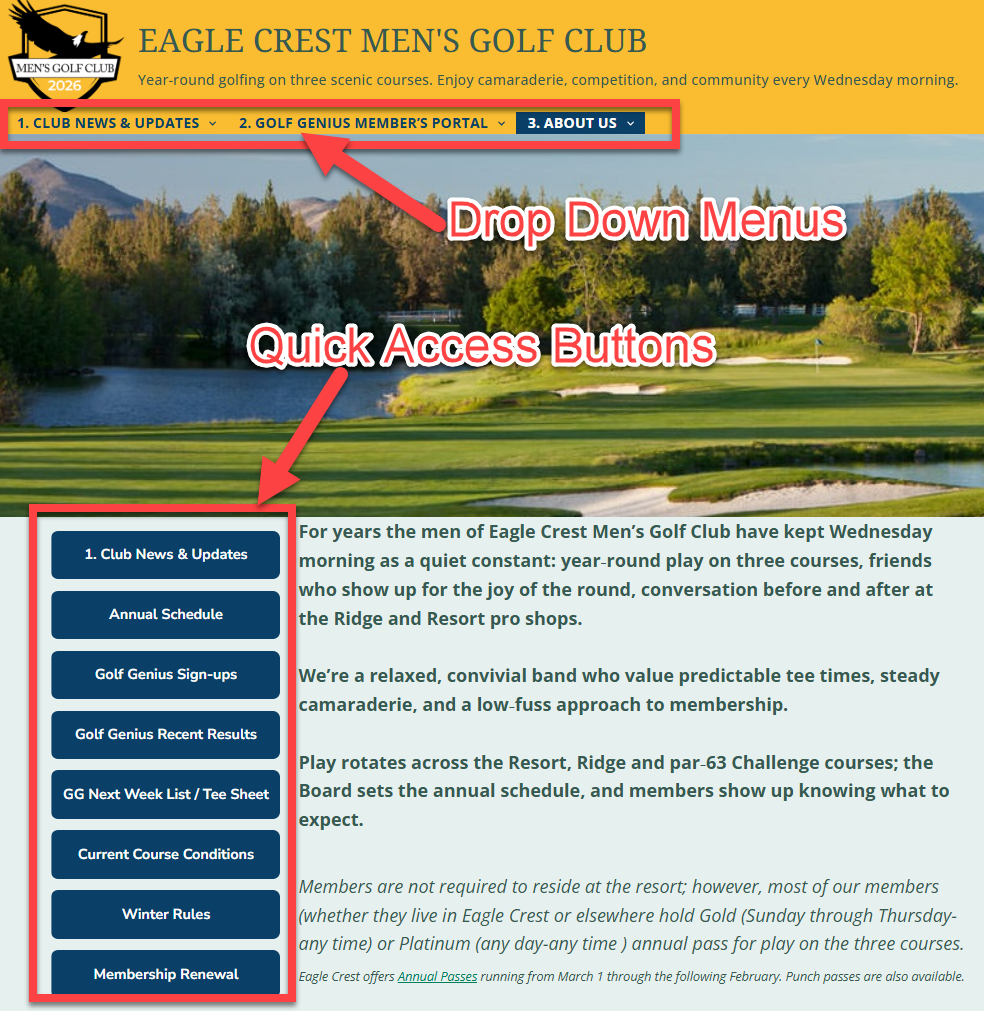

For PC users these three menu items appear at the top of every page.
For tablet and smartphone users the three menu items appear in the drop down ≡ MENU. At the very bottom of this post you will find the entire Tablet and smartphone menu.
How the Website is Organized: Smartphone View
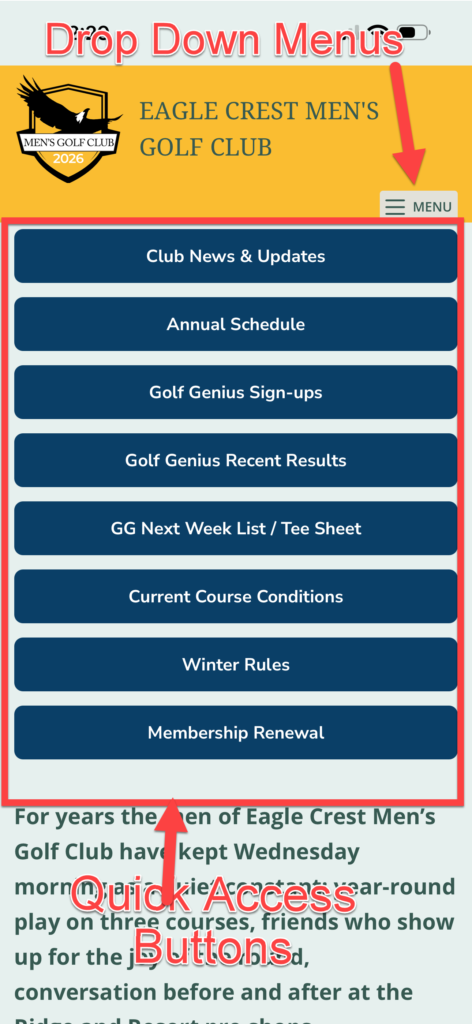
Each Top Menu Item is directly clickable; the sub menus are for quick access to more granular topics.
Here’s what each menu item is for (and their sub-menus):
1. CLUB NEWS & UPDATES
Clicking on the top level “CLUB NEWS & UPDATES” starts with display of the 7 most recent club “Posts” to the website. These can be any category of post.
At the base of the page there are page load options where you can load 7 more posts, each coming in reverse chronological order.
If you only check one area of the website regularly, this is the one to check.
You can also press the Blue Button Labeled “Club News & Update”
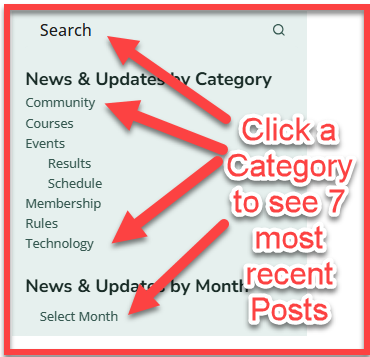
Each Post has one or more categories for quick filtering, or you can keyword search or filter by month/year.
For PC Users Category filters can be applied by clicking the category words in the page’s right side bar.
For tablet and phone users the “side bar” of clickable categories will be at the bottom of this page.
News & Updates Side Bar Looks Like This
In the Sub Menus of the “CLUB NEWS & UPDATES” you will find
- Event Result Posts
- Annual Schedule
- Niblick Cup Standings (showing 2025 until the 2026 season begins)
- 2025 Result Summaries
- Newsletter Library
- Membership Renew or Join
2. GOLF GENIUS MEMBER’S PORTAL
Clicking this link takes you directly to our 2026 Golf Genius Portal “splash page”.
In the Sub menus of “GOLF GENIUS MEMBER’S PORTAL” you will find
- Calendar Registration (multi event sign-ups)
- Playing List/Tee Sheet
- During registration this shows the List of Players signed up.
Once pairings are set-up this will show the Tee Sheet
- During registration this shows the List of Players signed up.
- Player Roster
- Most Recent Results
- Accessing the 2025 Portal for 2025 GG Scoring and Results
With the exception of the link to 2025 GG, the other links are just shortcuts to the most used areas in the 2026 Golf Genius portal.
Nothing has changed with Golf Genius
Golf Genius will still be used for signups, scoring, statistics and calculation of tournament results.
The ECMensGolfClub.com website simply complements the Portal by providing club information and communication in one central place.
3. ABOUT US
“ABOUT US” is the Home Page of the Website.
This section contains information that’s important to the operation and administration of the club.
Sub Menus in “ABOUT US” Include
- More Information about the Club
- A lengthy description of what ECMGC does on an annual basis.
- Information about joining
- FAQ’s
- Descriptions of our various Competitions
- Local Rules & Handicap Policy & Pace of Play
- Eagle Crest Resort links
- Course information
- Golf Pass Info
- Platinum Gold Tee Time link to EZPass
- Silver Bronze Tee Time link to EZPass
Think of ABOUT US sub menus as the club’s filing cabinet — important information that doesn’t change very often.
ABOUT US Home Page
The Home Page adapts to whether you are using a PC, Tablet or Smart Phone
The Home Page can always be reloaded by clicking on the “Eagle Crest Men’s Golf Club” Banner at the top of every page.
In addition to the menu at the top of the page, there are 8 Quick Link buttons:
- 1) Club News & Updates
- (Same as Drop Down Menu #1, just another way to get to News & Updates)
- 2) Annual Schedule
- Showing our annual event planning Excel worksheet
- 3) Golf Genius Sign-ups
- Where you can sign-up for multiple future events
- 4) Golf Genius Recent Results
- Result from our last event
- 5) GG Next Week List / Tee Sheet
- Golf Genius,
During registration this shows the List of Players signed up for the next event.
Once pairings are set-up this will show the Tee Sheet
- Golf Genius,
- 6) Course Conditions
- Links to Eagle Crest Resort Course Information Page
- 7) Winter Rules
- 8) Membership Renewal
- Renewal Information and Renewal Form
- Also used for New Members to Join
A Few Helpful Notes
- The website works on smartphones, tablets, and computers.
- In a separate post I explain how to make ECMensGolfClub.com appear as an app on your smartphone or tablet.
- You don’t need to login to read any content on ECMensGolfClub.com
- Golf Genius access still requires your Golf Genius credentials.
This site will continue to evolve, and feedback is welcome.
Our goal is to make club information easy to find and keep everyone informed with fewer emails and less confusion. Feedback emails can be sent to ECMensGolfClub@gmail.com
Enjoy the site — and good golfing!
Other Tech Topics related to the website are:
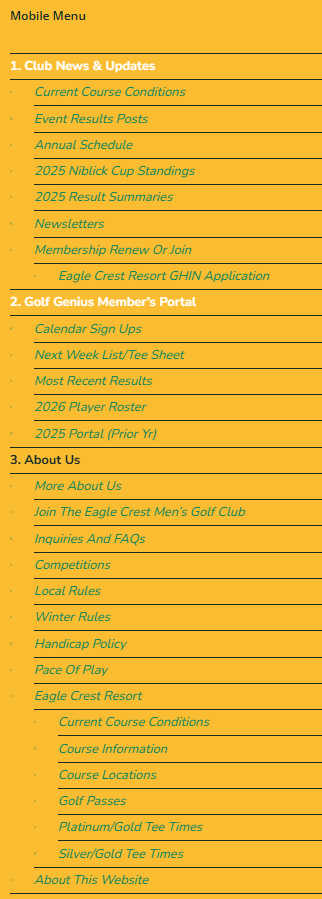
For Tablet and Phone users, the 3 top level menus are compressed into a ≡ Menu icon This full “Mobile Menu” is shown below
Below is a snapshot of the entire menu structure when looked at from a smartphone. (these are also the menu items in a PC’s ➀ ➁ ➂ horizontal menu)